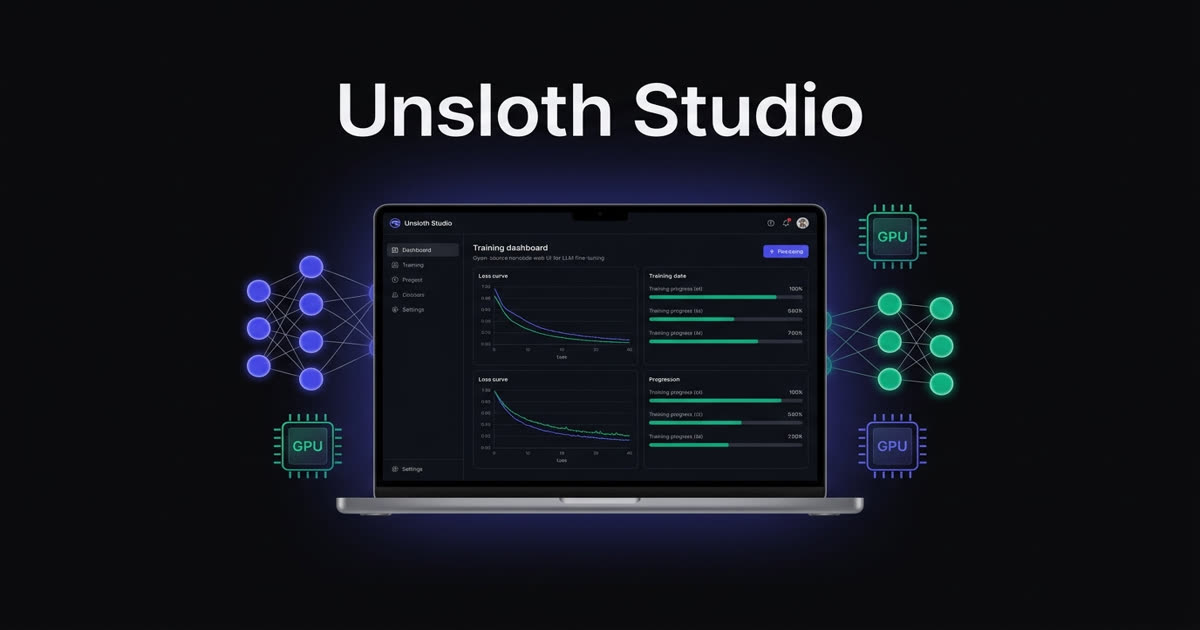
Fine-tuning an LLM has always felt like it required a PhD in CUDA debugging and a credit card pointed at a cloud GPU provider. Unsloth AI wants to change that. Their new release, Unsloth Studio, is an open-source, no-code web UI that handles the entire fine-tuning lifecycle — data prep, training, monitoring, and export — all running locally on your own hardware.
The project already had a reputation in the local AI community for its optimized training library. Studio wraps that engine in an accessible interface that doesn't sacrifice the performance gains that made Unsloth worth using in the first place.
What Is Unsloth Studio?
At its core, Studio is a local web application that sits on top of Unsloth's training library. You open it in your browser, point it at a model, feed it data, and train. No Jupyter notebooks, no scattered Python scripts, no manual CUDA environment wrangling.
The key capabilities:
- Run GGUF and safetensor models locally on Mac, Windows, and Linux
- Fine-tune 500+ models including Llama 4, Qwen 3.5, DeepSeek-R1, and Nemotron 3
- 2x faster training with 70% less VRAM — no accuracy loss
- Multi-modal support for text, vision, TTS/audio, and embedding models
- One-click export to GGUF, vLLM, Ollama, and 16-bit safetensors
- Built-in chat with self-healing tool calling, web search, and code execution
It's currently in beta and completely open-source under the Unsloth project on GitHub.
Why the VRAM Savings Matter
The headline number — 70% less VRAM — comes from Unsloth's hand-written backpropagation kernels authored in OpenAI's Triton language. Standard training frameworks use generic CUDA kernels. Unsloth's are purpose-built for LLM architectures, which means they squeeze significantly more out of the same hardware.
What does that mean in practice?
💡 An RTX 4090 or 5090 can fine-tune 8B and even 70B parameter models that would normally require multi-GPU clusters. The Studio supports 4-bit and 8-bit quantization through LoRA and QLoRA, freezing most model weights and training only a small set of adapter parameters.
For anyone building on consumer hardware or a single workstation GPU, this is the difference between "possible" and "not worth trying."
Data Recipes: From PDF to Training Dataset
One of Studio's most interesting features is Data Recipes — a visual, node-based workflow for turning raw documents into fine-tuning datasets.
The pipeline handles:
- Multi-format ingestion — upload PDFs, DOCX, CSV, JSON, JSONL, or TXT files directly
- Synthetic data generation — powered by NVIDIA's DataDesigner, it transforms unstructured documents into structured instruction-following datasets
- Automatic formatting — converts data into ChatML, Alpaca, or other standard formats so the model receives the correct tokens and special characters
This is a significant quality-of-life improvement. The "Day Zero" problem — spending hours writing boilerplate data preprocessing scripts before you can even start training — is one of the biggest friction points in fine-tuning workflows. Data Recipes removes most of that overhead.
GRPO: Reinforcement Learning Without the VRAM Tax
Beyond standard supervised fine-tuning (SFT), Studio supports GRPO (Group Relative Policy Optimization) — the reinforcement learning technique behind DeepSeek-R1's reasoning capabilities.
Traditional RL fine-tuning with PPO (Proximal Policy Optimization) requires a separate "Critic" model that eats a large chunk of VRAM. GRPO sidesteps this by calculating rewards relative to a group of outputs instead of maintaining a dedicated critic.
The practical result: you can train reasoning-capable models — the kind that handle multi-step logic and chain-of-thought — on local hardware that would choke on a PPO setup.
The Export Pipeline
Training a model is only half the job. Getting it into a format you can actually deploy is the other half — and it's often the more frustrating one.
Studio handles this with one-click exports to:
- GGUF — optimized for local CPU/GPU inference on consumer hardware (llama.cpp ecosystem)
- vLLM — high-throughput serving for production environments
- Ollama — immediate local testing and interaction
- 16-bit safetensors — full-precision weights for further work
The export process merges LoRA adapters back into the base model weights automatically, so what you deploy is mathematically consistent with what you trained.
Real-Time Training Observability
Studio includes a monitoring dashboard that shows loss curves, gradient norms, and GPU utilization in real-time as training progresses. You can even monitor training runs from other devices — including your phone — which is a nice touch when you've kicked off a long training run and don't want to sit at your desk watching numbers tick.
Who Is This For?
Studio slots into a few specific workflows:
- Solo developers and small teams who want to fine-tune models without cloud GPU costs
- Enterprise teams that need to keep training data and model weights on-premises
- Researchers experimenting with RL fine-tuning (GRPO) on limited hardware
- Anyone with an NVIDIA GPU who's been curious about fine-tuning but put off by the setup complexity
It's not a replacement for large-scale distributed training on cloud clusters. But for the 90% of fine-tuning work that happens at the 8B-70B parameter range, running locally with Unsloth's optimizations is now a genuinely viable path.
Getting Started
Step 1 — Install
Unsloth Studio runs on Windows and Linux with an NVIDIA GPU (Mac support is inference-only for now, with MLX training coming soon). Install via pip:
pip install unslothStep 2 — Launch
Start the Studio web UI and open it in your browser. The interface handles model selection, data upload, training configuration, and export from a single dashboard.
Step 3 — Train or Chat
You don't need a dataset to get started — you can run and chat with any GGUF model immediately. When you're ready to fine-tune, use Data Recipes to prepare your dataset, configure your training run, and hit go.
Full documentation is available at unsloth.ai/docs/new/studio, and the project is on GitHub.
The Bottom Line
Unsloth Studio removes the two biggest barriers to LLM fine-tuning: the infrastructure complexity and the VRAM cost. By wrapping an already-optimized training library in a clean web UI with built-in data preparation, training monitoring, and one-click export, it makes local fine-tuning accessible to anyone with an NVIDIA GPU and a use case.
The open-source, local-first approach means your data and model weights stay on your machine. No cloud accounts, no API keys, no recurring costs. For a field that's increasingly moving toward managed SaaS platforms, that's a refreshing direction.