
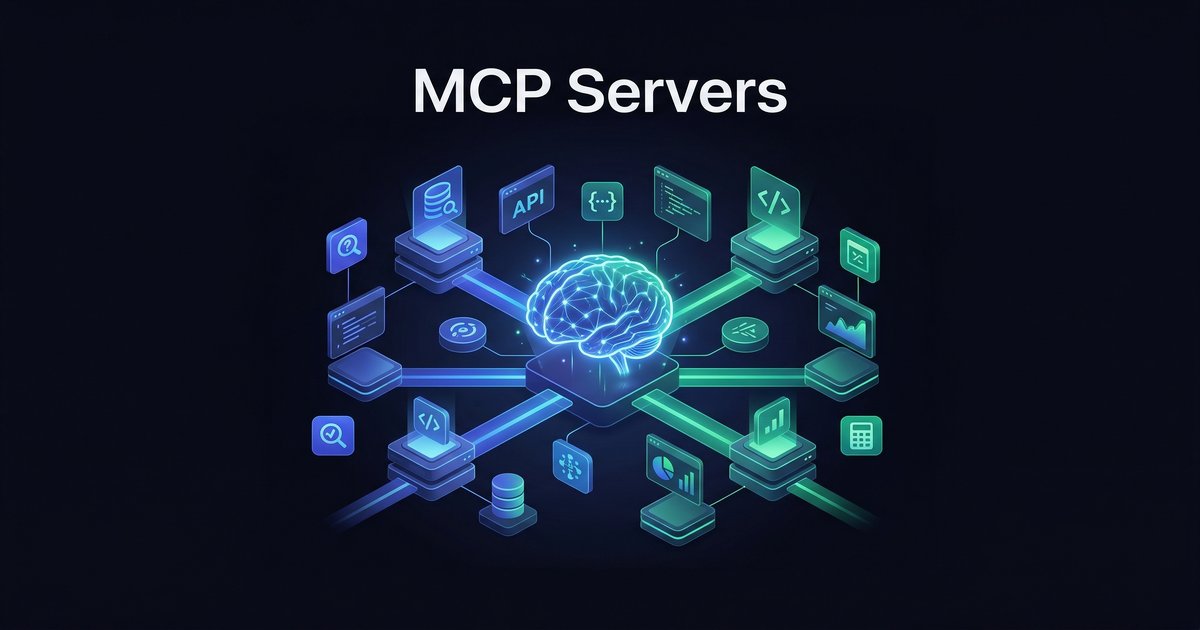
Your AI agent can generate text, summarize documents, and write code. Impressive. But ask it to check your calendar, create a Jira ticket, or query your production database, and it shrugs. The agent is smart but isolated — trapped in a text box with no hands.
Model Context Protocol (MCP) fixes this. It is an open standard that gives AI agents a uniform way to discover and use external tools. Think of it as USB for AI: plug in a server, and your agent gains new capabilities without custom integration code.
This guide covers what MCP actually is, how the protocol works under the hood, which servers are worth using today, and how to set up your first one in about ten minutes.
What Is MCP?
MCP stands for Model Context Protocol. Anthropic released the specification in late 2024, and by 2026 it has become the de facto standard for connecting AI agents to external services. Google, OpenAI, Microsoft, and dozens of tool vendors now support it.
The core idea is simple:
- An MCP server wraps some capability — a database, an API, a file system — and exposes it through a standardized interface.
- An MCP client (your AI agent or its host application) connects to the server and discovers what tools are available.
- The AI model decides when and how to call those tools based on your conversation.
No bespoke API wrappers. No prompt-engineering hacks where you paste JSON schemas into the system prompt. The agent discovers what it can do at runtime and calls tools through a clean protocol layer.
The USB analogy: Before USB, every peripheral had its own proprietary connector. MCP does for AI tools what USB did for hardware — one standard plug that works everywhere. Plug in a Google Calendar MCP server, and any MCP-compatible agent can read and create events. Switch to a different agent framework? The same server still works.
How the Protocol Works
MCP uses JSON-RPC 2.0 as its message format. There are two transport mechanisms:
- stdio — The client spawns the server as a child process and communicates over stdin/stdout. Best for local servers running on the same machine as your agent.
- Streamable HTTP — The server runs as an HTTP endpoint. The client sends requests and receives responses (and streaming updates) over HTTP with optional Server-Sent Events. Best for remote or shared servers.
The lifecycle looks like this:
1. Connection and Initialization
The client connects to the server and they exchange capability information. The server announces what it can do — its tools, resources, and prompts.
// Server capability announcement (simplified)
{
  "tools": [
    {
      "name": "get_events",
      "description": "List calendar events for a date range",
      "inputSchema": {
        "type": "object",
        "properties": {
          "start_date": { "type": "string" },
          "end_date": { "type": "string" }
        }
      }
    },
    {
      "name": "create_event",
      "description": "Create a new calendar event",
      "inputSchema": { ... }
    }
  ]
}
2. Tool Discovery
The AI model receives the tool descriptions as part of its context. It now knows that get_events and create_event exist, what parameters they accept, and when to use them. This happens automatically — no prompt engineering required.
3. Tool Execution
When you say "what is on my calendar tomorrow?", the model generates a structured tool call:
// Model generates this tool call
{
  "name": "get_events",
  "arguments": {
    "start_date": "2026-03-06",
    "end_date": "2026-03-06"
  }
}
The client routes this to the calendar MCP server, which executes the query and returns results. The model then uses those results to compose its response to you.
The key insight: the model decides when to use tools and which tool fits the task. You do not hardcode tool calls into your workflow. The agent reasons about what it needs and acts accordingly.
MCP Servers You Can Use Today
The ecosystem has grown fast. Here are servers that are stable, useful, and worth setting up:
Productivity
- Google Calendar — Read events, create meetings, check availability. Useful for AI assistants that need schedule awareness.
- Gmail — Search inbox, read messages, draft and send emails. Pairs well with calendar for "what is urgent today?" workflows.
- Google Drive — List, read, and create documents. Your agent can pull context from shared drives without you copy-pasting.
- Notion — Query databases, create pages, manage blocks. Turns your knowledge base into something your agent can actually search and update.
Development
- GitHub — Issues, pull requests, repository management. Ask your agent "what PRs need review?" and get real answers.
- shadcn/ui — Pull live component source code. Your coding agent gets current API signatures instead of hallucinating from stale training data.
- Context7 — Fetch up-to-date documentation for any library. When your agent writes code against React 19 or Tailwind 4, it can check the actual docs first.
- Database connectors — PostgreSQL, SQLite, MySQL. Let your agent query data directly instead of you running SQL and pasting results.
Infrastructure
- Filesystem — Sandboxed file read/write. Useful when your agent needs to manage project files.
- Docker — Container management. Your agent can check running containers, view logs, restart services.
- Kubernetes — Cluster operations for teams running K8s workloads.
Security note: MCP servers can read and write real data. A misconfigured server with database write access is a real risk. Always scope permissions to the minimum needed. Read-only where possible. Never expose production databases without query guardrails.
Setting Up Your First MCP Server
Let us set up Google Calendar as an MCP server. This takes about ten minutes and gives your agent real schedule awareness.
Step 1: Install the Server
Most MCP servers are distributed as npm packages. Install the Google Calendar server:
npx @anthropic/google-calendar-mcpSome servers use Python (pip install) or ship as Docker containers. Check the server's README for its preferred method.
Step 2: Configure Your Agent
Your AI agent framework needs to know about the MCP server. In OpenClaw, this goes in your openclaw.json config — or you can use a tool like mcporter to manage servers from the CLI:
// mcporter config example
{
  "servers": {
    "google_calendar": {
      "command": "npx",
      "args": ["@anthropic/google-calendar-mcp"],
      "env": {
        "GOOGLE_CLIENT_ID": "your-client-id",
        "GOOGLE_CLIENT_SECRET": "your-client-secret"
      }
    }
  }
}
For VS Code with Copilot, the config lives in .vscode/mcp.json. For Claude Desktop, it goes in claude_desktop_config.json. The format varies slightly, but the concept is the same: point the client at the server and provide credentials.
Step 3: Authenticate
Google APIs require OAuth. Most MCP servers handle this with a one-time browser flow — you will be redirected to Google's consent screen, approve access, and the server stores the token locally.
For headless servers (no browser), use the --manual flag to get a URL you can open on any device, then paste the redirect URL back.
Step 4: Test It
Ask your agent something that requires calendar data:
You: What meetings do I have tomorrow?

Agent: [calls get_events tool]

Agent: You have 3 meetings tomorrow:
• 10:00 AM — Sprint Planning (30 min)
• 1:00 PM — Design Review with Aurora (45 min)
• 3:30 PM — 1:1 with Alex (30 min)

Your morning is free until 10.
If it works, your agent now has persistent calendar awareness. It can check schedules, avoid conflicts when planning, and proactively remind you about upcoming events.
Building a Custom MCP Server
When an off-the-shelf server does not exist for your use case — an internal API, a proprietary database, a custom workflow — you can build your own. The protocol is straightforward.
When to Build vs. Use Existing
- Build your own when you have internal APIs, proprietary data sources, or custom business logic that no public server covers.
- Use existing for standard services (Google, GitHub, databases). Someone has already handled the edge cases.
Quick Example: A Weather MCP Server
Here is a minimal MCP server in Python that exposes a single tool — current weather for a city:
from mcp.server import Server
from mcp.types import Tool, TextContent
import httpx

server = Server("weather")

@server.list_tools()
async def list_tools():
    return [
        Tool(
            name="get_weather",
            description="Get current weather for a city",
            inputSchema={
                "type": "object",
                "properties": {
                    "city": {
                        "type": "string",
                        "description": "City name"
                    }
                },
                "required": ["city"]
            }
        )
    ]

@server.call_tool()
async def call_tool(name: str, arguments: dict):
    if name == "get_weather":
        city = arguments["city"]
        resp = httpx.get(f"https://wttr.in/{city}?format=j1")
        data = resp.json()
        current = data["current_condition"][0]
        return [TextContent(
            type="text",
            text=f"{city}: {current['temp_F']}°F, "
                 f"{current['weatherDesc'][0]['value']}"
        )]

if __name__ == "__main__":
    import asyncio
    from mcp.server.stdio import stdio_server
    asyncio.run(stdio_server(server))
That is about 40 lines. Install the MCP Python SDK (pip install mcp), save the file, and point your agent at it. Now your AI can answer "what is the weather in Tampa?" with live data instead of a training cutoff guess.
The TypeScript SDK works similarly. The key is implementing two handlers: list_tools (what can I do?) and call_tool (do the thing). Everything else — transport, serialization, error handling — the SDK handles for you.
MCP vs. Function Calling vs. Plugins
If you have used OpenAI function calling or ChatGPT plugins, you might wonder how MCP is different. Here is the breakdown:
| MCP | Function Calling | Plugins (ChatGPT-era) | |
|---|---|---|---|
| Standard | Open protocol, multi-vendor | Provider-specific API | OpenAI proprietary (deprecated) |
| Discovery | Runtime — agent discovers tools dynamically | Compile-time — you define schemas upfront | Manifest file, static |
| Portability | Same server works across agents | Tied to one provider's API format | ChatGPT only |
| Composability | Multiple servers, mix and match | One function set per request | Limited to 3 plugins |
| Transport | stdio or HTTP (local or remote) | HTTP only (cloud API) | HTTP only |
| Ecosystem | Growing fast — hundreds of servers | DIY per integration | Dead |
When MCP wins: You want your agent to use multiple tools from different vendors, you want portability across agent frameworks, or you want to share tools across your team without everyone reimplementing the same integrations.
When function calling is fine: You have a single-purpose agent with a small, fixed set of functions that will not change. The overhead of running MCP servers is not worth it for a bot that only needs to call one API.
The trend is clear: MCP is becoming the standard. Anthropic, Google, OpenAI, and VS Code all support it. If you are building something new, build it as an MCP server and it will work everywhere.
Getting Started — Your Next Move
MCP is not theoretical. It is running in production today — powering coding assistants, personal agents, enterprise workflows, and developer tools. The protocol is stable, the ecosystem is growing, and the barrier to entry is low.
Start with one server. Google Calendar or GitHub are good first choices because you will use them immediately. Once you see your agent pulling real data and taking real actions, you will want to add more.
The agents that win are not the ones with the best language models. They are the ones with the best tools.
Go Deeper with the OpenClaw Field Guide
The full guide covers MCP server configuration, multi-agent architecture, cron automation, and production deployment — everything you need to run AI agents that actually do work.
Get the Field Guide — $10 →